

Leeds Beckett University - City Campus,
Woodhouse Lane,
LS1 3HE
Batch edit | Ultra
Page last updated:
This staff guide explains the steps to batch edit content in MyBeckett Ultra modules and communities.
Batch edit options currently include editing dates, editing visibility of items for students, deleting items.
Batch deleting items is particularly useful if you have copied over any specific content in error, such as announcements and assignments as these need to be created from scratch. And the tool allows to delete these items in bulk.
a. Open your module or community in MyBeckett.
b. Click the three dots at the top right of the content area.
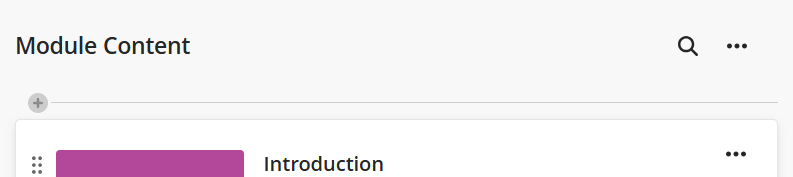
c. Click Batch Edit.

d. Tick the checkbox to the left of each content item that you want to include in your batch edit process. Please be aware that selecting a content area such as a learning module or folder will affect all of the content items located in that area.
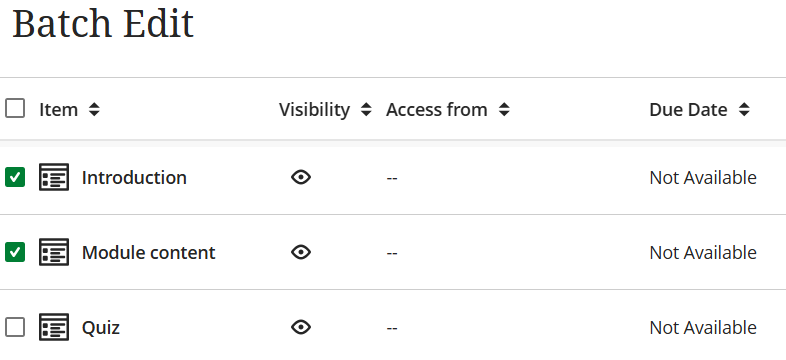
e. Select the action that you want to perform at the bottom of the page. Actions include:
- Edit dates
- Edit visibility
- Delete items
f. Confirm the action that you have chosen.





