

Leeds Beckett University - City Campus,
Woodhouse Lane,
LS1 3HE
External examiners and Associates guide
Page last updated:
External and associate lecturers guide
This staff guide is for members of staff who are External Examiners and/or Associate Staff while using MyBeckett Ultra.
Important Contacts
If you need help with passwords, MFA etc. contact Digital Services.
Self-Service Help Desk (this link may only function logging on with your MFA details; if you can access MyBeckett it should work. Otherwise, please phone the Digital Services Helpdesk: (+44) 0113 812 2222
Also, please liaise with your course team who may be able to contact Digital Services on your behalf.
Search for your Module
If you have been enrolled on the module, go to your Modules menu, enter the name of the module required in the Search your modules box. The pull-down menu lists options on where to search, i.e. all modules etc.
- It can take a while to feed through so if your module is not listed then please try again after a couple of hours.
- If still not showing after 24 hours, ask a member of the course team to enrol you on to the module

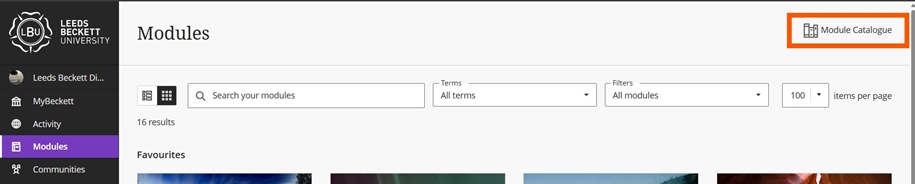
CRN unknown - search the Module Catalogue
a. Go to the Modules link in the main menu.
b. Click on the Module Catalogue and search for it by name (use a keyword).
c. The CRN is the Module ID. Make a note of this.
d. Ask the course team to enrol you onto the module.
External Examiners guide for accessing student Turnitin submissions
If the submissions have not been provided and you are told to search the Turnitin inbox, please follow these steps.
a. Navigate to the assignment inbox within the content area and open. Alternatively, in Ultra you can also find the link to Turnitin Submissions via the Grade Centre and Markable Items tab.

b. Use the search box to locate your student either by name or Paper ID





