

Leeds Beckett University - City Campus,
Woodhouse Lane,
LS1 3HE
Bulk download content
Page last updated:
Bulk download all module content
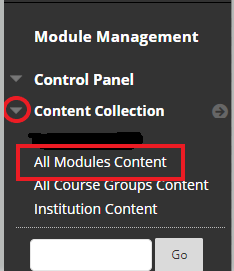
a. In the Module Management menu (bottom left), click Content Collection.
b. Click All Modules Content.
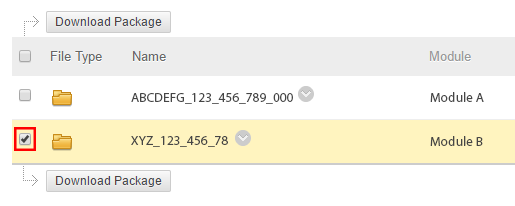
c. Tick the module you want to bulk download content from.
d. Click the Download Package button.
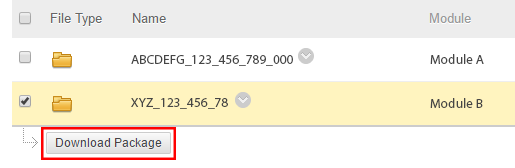
e. A zip folder will download containing all content from the module.





