Leeds Beckett University - City Campus,
Woodhouse Lane,
LS1 3HE
Add a member to a workspace
Page last updated:
You need to be a Lead Tutor on a workspace to add students (members).
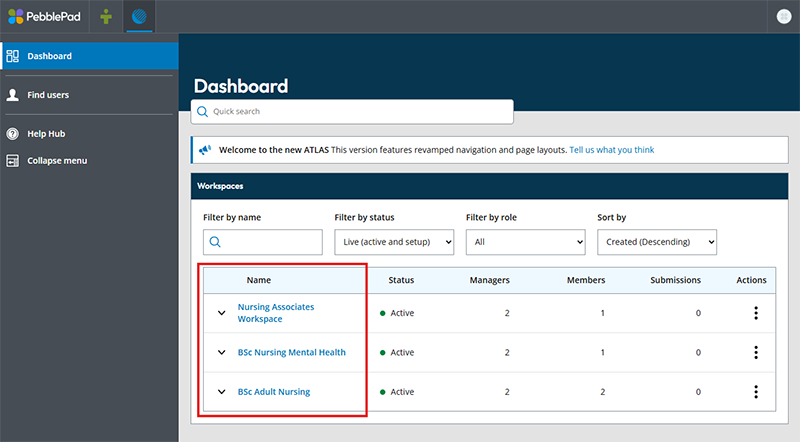
a. Click on a Workspace.
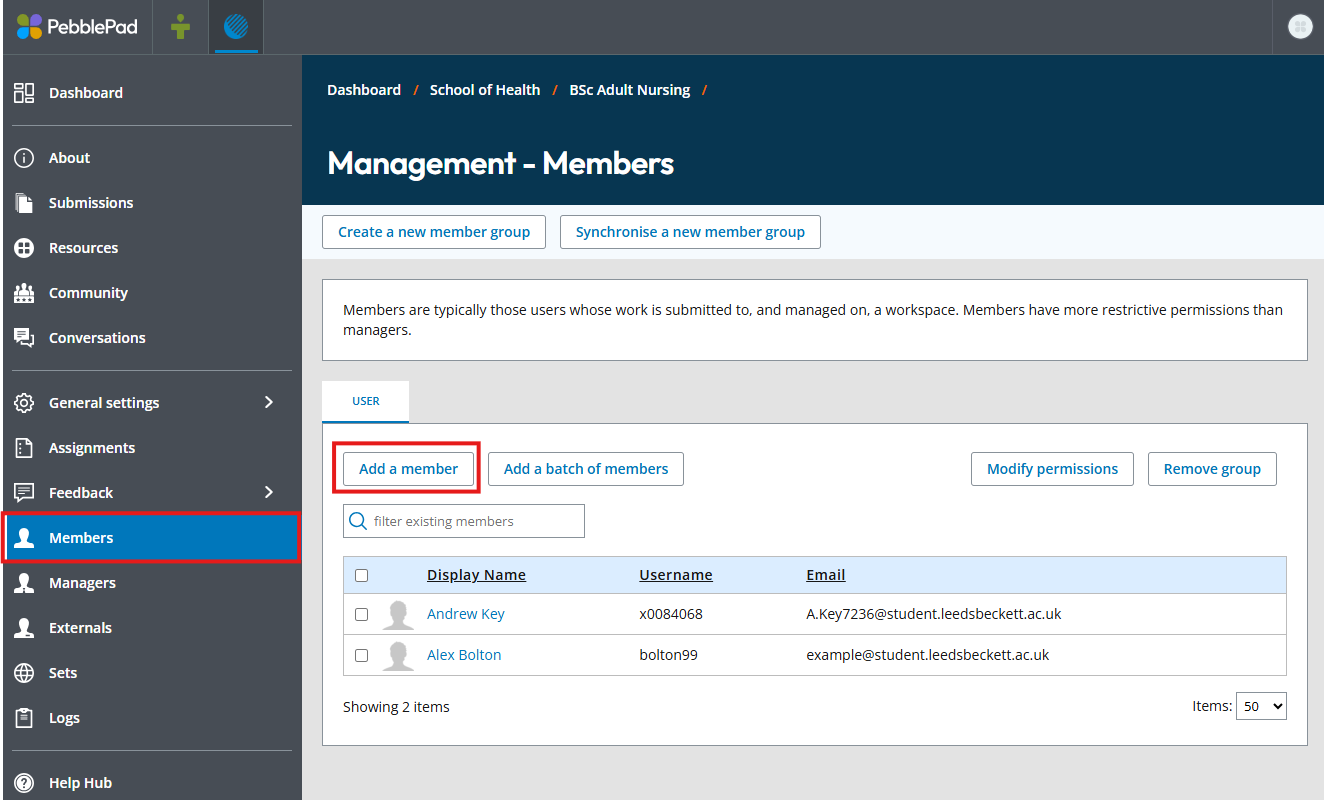
b. In the left hand menu, click Members, then on the main section of the page click Add a member.
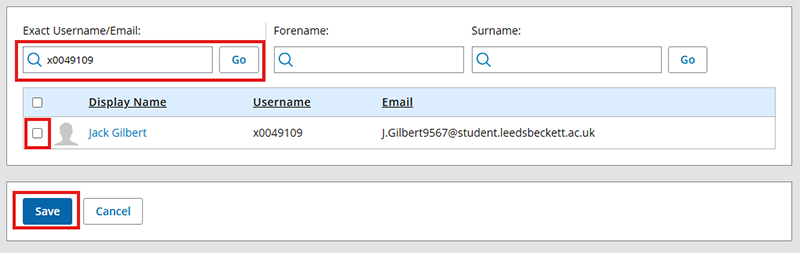
c. Enter the exact username of the student you wish to add (this is their student ID number with the first number replaced with the letter 'c'), then click Go. When their details appear beneath, select them using the small checkbox to the left, then click Save.
d. You will then be returned to the members page and you will see a message informing you the student has successfully been added.