

Leeds Beckett University - City Campus,
Woodhouse Lane,
LS1 3HE
View a submission
Page last updated:
This guide provides information for staff viewing an assignment submission on PebblePad.
You need to be a Lead Tutor, Tutor or a Moderator on a workspace to view submissions.
a. Login to PebblePad (see our guide for help).
b. At the top of the screen, click the blue globe icon to open ATLAS.

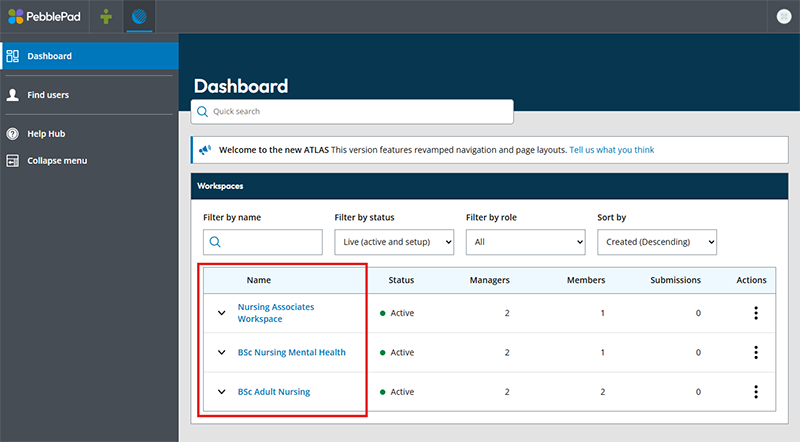
a. Click the name of the Workspace containing your assignment.
b. You should automatically land on the submissions page for the workspace's assignments. Click a listed submission or use the filter e.g. search for a name to narrow results.
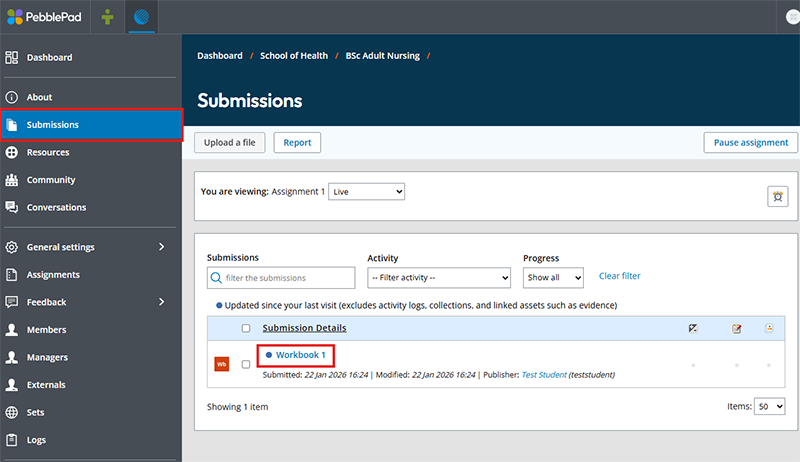
As the ‘Modified’ date is unreliable, the Submitted date is unaffected.





