Leeds Beckett University - City Campus,
Woodhouse Lane,
LS1 3HE
Turnitin Assignment Types
Page last updated:
This guide introduces the different types of Turnitin assignments and highlights the features, benefits and limitations to support informed decision-making.
Turnitin is a suite of online submission, text matching and feedback tools available via MyBeckett. It enables students to submit assignments electronically and supports marking, feedback, and academic integrity processes.
Information about Academic Honesty can be found on our university's Academic Honesty pages.
We would recommend that you have discussions as a course team around whether to start using the new version of Turnitin in semester one or at a later point. Making the change at the same time will provide a more consistent experience for students.
Turnitin assignment types
There are three assignment types available in Turnitin:
- Standard: The new Turnitin assignment experience, featuring updated Feedback Studio marking tools, enhanced accessibility, and new functionality
- Multipart: Allows you to create assignments with multiple submission parts using the new Standard assignment experience
- Standard (Classic): The existing Turnitin assignment format with the current Feedback Studio marking and feedback tools
Standard and Standard (classic) support the same core workflow: students or instructors submit completed files, and Turnitin can generate Similarity Reports for supported text-based submissions.
Use the feature comparison to decide which version supports your workflow.
| FEATURE | Standard (Classic) | Standard (New) |
| Classic similarity report | Yes | No |
| Enhanced similarity report | No | Yes |
| Classic marking and feedback tools | Yes | No |
| Enhanced marking and feedback tools | No | Yes |
| Flags | Yes | Yes |
| AI writing detection | Yes | Yes |
| Anonymous marking | Yes | Yes |
| Translated matching | Yes | Yes |
| Individual extensions | No | Yes |
| PeerMark | Yes | No |
| Grading templates | Yes | No |
Turnitin new standard assignment
The new Standard assignment includes several enhancements for instructors:
- Individual Extensions: Grant deadline extensions to individual students, supporting reasonable adjustments and specific learning requirements
- Template Exclusion: Allow students to submit work using a provided template while excluding the template text from similarity matching
- AI Writing Indicator Column: View AI writing detection scores directly from the assignment submissions list
- Bulk Similarity Report Regeneration: Update similarity report settings and regenerate all similarity reports for an assignment in one action
- Accessibility Improvements: Benefit from an enhanced, more accessible user experience
- Comment and QuickMark Colour Customisation: Personalise the colour of comments and QuickMarks to support your marking workflow
Please read our Turnitin New Features FAQ to understand the latest assignment options, features and what they mean for your marking and feedback workflows.
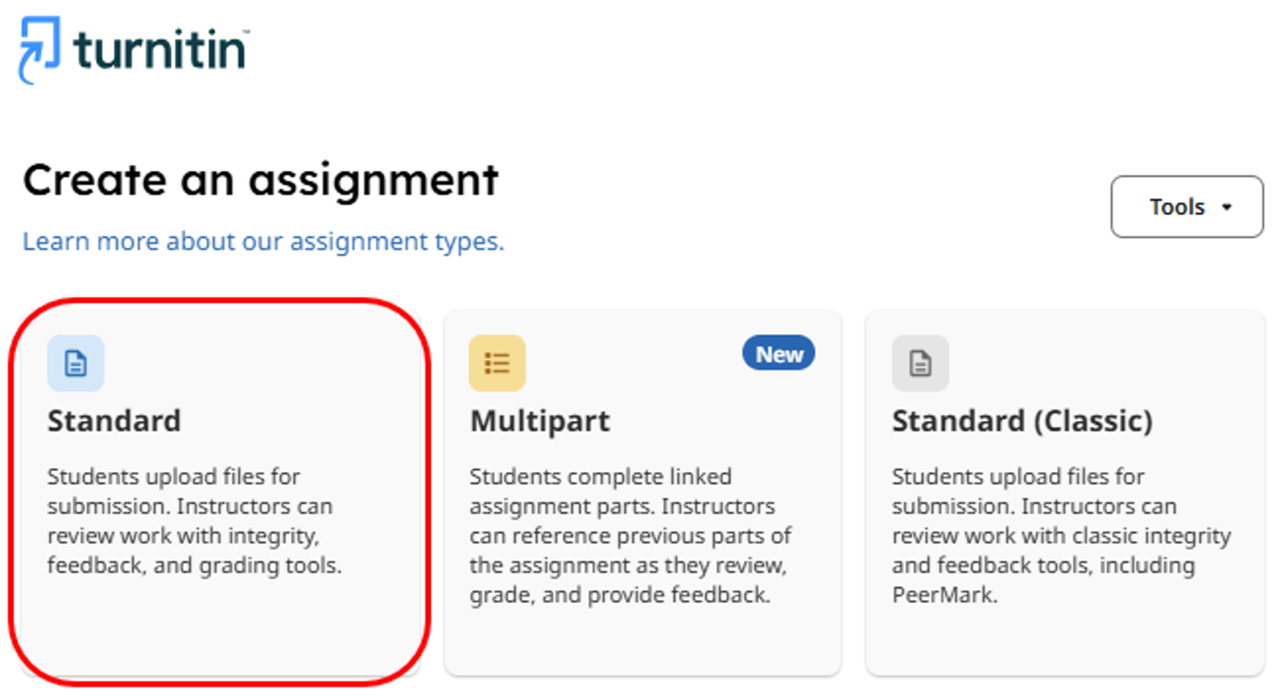
Turnitin new standard assignment set up.
Why use multipart assessment?
Multipart assessment helps to scaffold the student assessment creation process by breaking a larger project into stages.
Multipart Assessment benefits students by:
- Encourage students to get started early on their assessment work, submitting plans, drafts or sections of the final piece before that deadline
- Students can see all connected parts of an assessment and how they build up to the final submission
- Giving students easy access to feedback from different parts encourages them to reflect and act on feedback
Multipart assessment benefits instructors by:
- Helping to identify if and when students are struggling with an assessment
- Facilitating delivery of formative feedback
- Providing more visibility into the student writing process, helping to support if academic honesty concerns arise
Please note that Multipart assignments require caution: Staff should only use multipart assignments where there is a clear need and understanding of how they work. Known limitations and lack of support guidance are currently present.

Turnitin assignment set up
Considerations when using the new standard assignment experience
- Workflow: The assignment creation workflow is similar but has a couple of differences to get used to
- New Layout Requires Orientation: The redesigned setup screens can initially be confusing for staff familiar with the classic Turnitin interface.
- PeerMark Not Yet Available: Lack of PeerMark support means classic is the best choice for colleagues who rely on peer review workflows
- Multipart Assignments Require Caution: Staff should only use multipart assignments where there is a clear need and understanding of how they work. Known limitations and lack of support guidance are present
The new enhanced similarity report
The Enhanced Similarity Report is Turnitin’s redesigned interface for reviewing similarity matches within student submissions. The report introduces a modern interface with improved navigation and new features that help instructors interpret similarity matches more efficiently.
The report is designed to make it easier to review matched content by organising text into categories, providing additional context about matching sources and offering enhanced filtering options.
- Tab Navigation: The new tab navigation allows users to easily access different report functionality, such as the similarity and flags panel
- Match Groups: Organises matches based on the presence of quotation marks and citations
- Source Cards: Provide detailed information about each matching source
- Sources tab: Displays all matching sources associated with highlighted text
- Filters and Exclude: The new filters panel allows instructors to exclude quotations, bibliographies or selected sources during review
- Flags tab: Identifies potential text manipulation like hidden or replaced text

Turnitin Enhanced similarity report
Understanding match groups
One of the most significant changes in the Enhanced Similarity Report is the introduction of Match Groups. Rather than displaying all matches as one continuous list, Turnitin categorises matching text into four groups based on whether quotation marks and citations are detected.
The four Match Groups are:
- Not Cited or Quoted: The number of text matches that are not written as a quotation or have no citation to their source
- Missing Quotations: Text is cited, but the match is so exact that it may also require quotation marks
- Missing Citation: This text is written as a quote but lacks a citation to the source
- Cited and Quoted: Text contains a quotation and is cited to a source