Leeds Beckett University - City Campus,
Woodhouse Lane,
LS1 3HE
View submissions in a multipart assignment
Page last updated:
This staff guide shows you how to views submissions in a Turnitin multipart assignment.
Once you have set up your multipart assignment, you can easily see when students have completed one part of the assessment and provide feedback for them to take forward to the next part.
1. Locate the assignment in your module and click the title to open.
2. Click the grading icon to open the submission and provide feedback and a grade. More details are available on how to mark in the new Feedback Studio are available from links under the Marks and Feedback section of our Turnitin page.
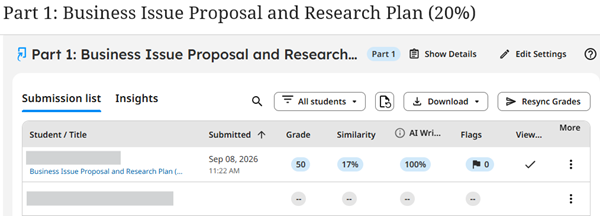
3. Even if you haven’t included the part number in the assignment title, a badge next to the title will indicate which part you are viewing.

You can easily navigate between different parts of the assignment.
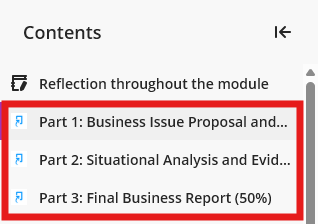
1. Click on the links in the main Content area of your module to move to a submission area for a different part of the assignment.
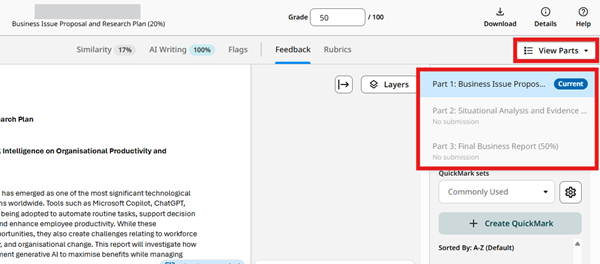
2. Open the submission in Feedback Studio and use the View Parts button to move to another part of the same student’s assignment. This is useful if you want to quickly review whether the student has acted on previous feedback.
In a multipart assignment, you can submit on behalf of a student by following the steps in this Turnitin guide.
You can bulk download submissions in a multipart assignment by following the steps in this Turnitin guide.